Getting Started
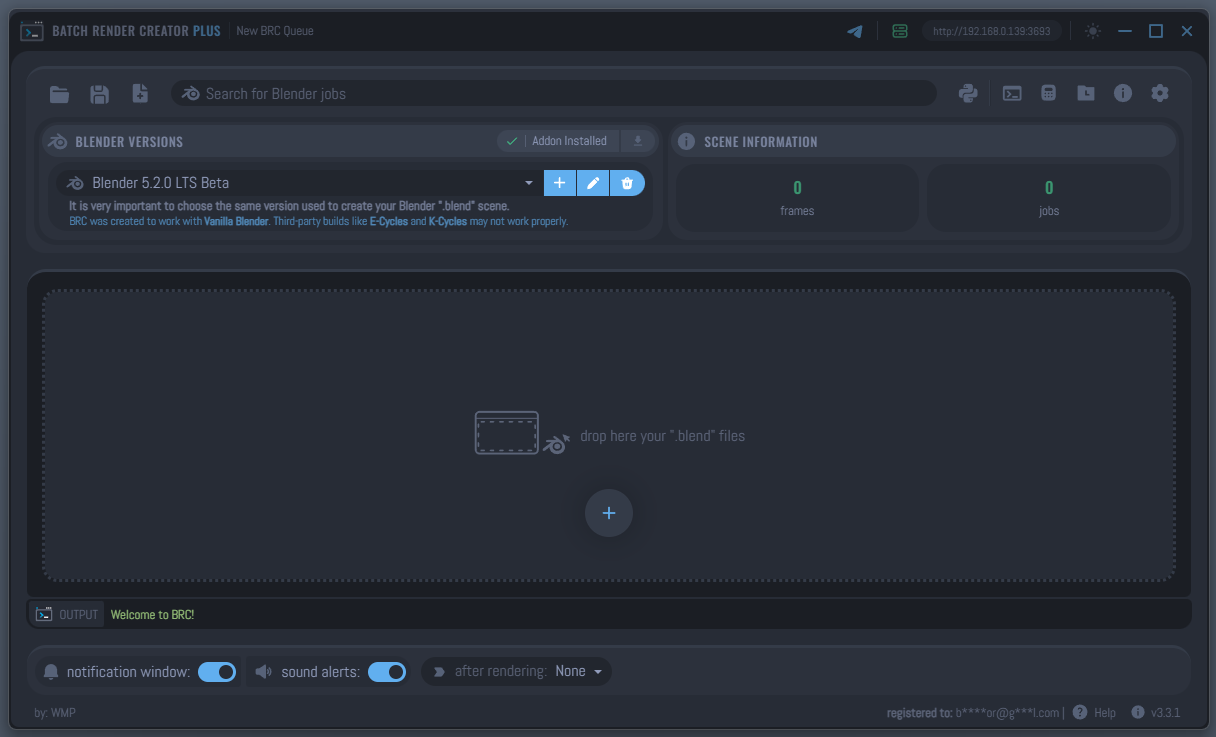
Batch Render Creator v3 (BRC v3) is a high-performance, cross-platform render queue manager for Blender. It is designed to work as a single-machine solution (it is not a network render manager), allowing you to maximize your local hardware's efficiency by managing multiple render jobs in a smart, organized queue.
Why use Batch Render Creator?
For 3D artists, time is the most valuable resource. BRC v3 was built to eliminate the tedious parts of the rendering process, allowing you to focus on creating.
Your Local Render Farm
BRC v3 works like a local render farm. Instead of waiting for one render to finish before manually starting the next, you can drag and drop multiple projects, set their priorities, and let the software handle the rest.
Scalable & Robust
Inspired by industry-standard software like AWS Deadline, BRC v3 is built for stability. It can automatically recover from issues, such as restarting the Blender process in the background if it crashes or setting a timeout if Blender stops responding.
Work Smarter, Not Harder
- Estimated Completion Time: Know exactly when your renders will be finished.
- Dynamic ETA: The software calculates the remaining time based on your current render speed.
- Automatic Actions: Set the computer to Shut Down, Sleep, or Restart automatically after the queue is finished.
- Pause & Resume: Need to use your computer for something else? Pause the render and resume exactly where you left off.
Stay Notified
BRC v3 can notify you with desktop messages and sound alerts throughout the process, so you don't have to constantly check the progress.
Modern Remote Control
BRC v3 introduces powerful ways to monitor and control your renders even when you are away from your workstation.
Telegram Bot Integration
Take your render queue in your pocket! Our secure Telegram integration allows you to:
- Real-time Telemetry: Receive instant notifications when a job starts, finishes, or encounters an error.
- Interactive Commands: Send commands like
/statusto get advanced metrics and dynamic ETA, or/pauseand/stopto manage the queue remotely. - Secure & Bound: The connection is machine-bound and encrypted, ensuring only you can control your renders.
Local HTTP Server
The built-in Network Server exposes a secure HTTP API, enabling:
- Local Network Management: Monitor your render status from another device, such as a tablet or a second computer, provided they are connected to the same local network (LAN/Wi-Fi).
- Custom Integrations: Developers can use the API to integrate BRC v3 status into custom dashboards or studio pipelines within the local environment.
Download Options
Visit the official store to choose the version that best fits your workflow:
| Version | Benefits |
|---|---|
| BRC v3 - FREE | 7-day full trial, then basic features. No credit card required. |
| BRC v3 - PLUS | Lifetime license for version 3. All features unlocked. |
| BRC v3 - PLUS Supporters | Help keep the project alive. Labor of love support. |
BRC v3 is a passion project. Thousands of artists use the free version, but less than 4% choose the PLUS version. By supporting the project, you ensure that we can continue to release new features and bug fixes.
Compare all features: FREE vs PLUS
Next Steps
Ready to optimize your pipeline? Proceed to the installation guide to set up the application and the Blender bridge.